我与 ChatGPT 插件的 AHA 时刻
ChatGPT 不只是回答了我的技术问题:它先浏览了我的网站,再按“非技术用户”方式给步骤,最后还帮我验证我有没有做对。
本文写于2023年,部分内容可能已发生变化。
Update (2024): ChatGPT plugins were discontinued by OpenAI in March 2024, replaced by GPTs and custom Actions. The experience described below captures an exciting but short-lived chapter in ChatGPT's evolution.
从 chatGPT 出来后我就一直在用,坦白说它的能力一直让我很惊讶。作为 chatGPT plus 用户,我现在能在 beta 里用不同插件。我当然知道插件能弥补我之前写过的一些 chatGPT“短板”,但昨天我真的经历了一个大的 Aha moment!
在讲具体聊天记录与截图前,先给一点上下文:有位同事最近问我,博客有没有 newsletter 订阅功能,能否自动收到新文章。我想了一下,其实首页有订阅表单,但这意味着他没看到。后来发现他当时是用手机看的。所以我就想弄清楚,怎样在移动端更好放置这个订阅功能。
我向 chatGPT 寻求技术帮助
如果你想看完整过程,这里是完整对话。(顺便说一下,这是 chatGPT 新出的对话分享功能,能直接共享完整聊天,省去痛苦截图。我下面还是放了些截图方便讲故事。)
我先给 chatGPT 上下文:“I have a personal blog at https://www.chandlernguyen.com/”
chatGPT 用浏览器插件后给了我这个回答:“Your blog, www.chandlernguyen.com, is a personal blog where you share your thoughts and experiences about various topics such as expatriates living in the U.S., Artificial Intelligence”
这让我确认:chatGPT 可以访问我的网站。
接着我输入核心需求:“I want to create a function where readers of my posts can subscribe to my blog as they finish reading a post.”
你会看到,我这个提问方式并不是标准技术表达,只是我自然会说出来的话。
chatGPT 的回复如下:
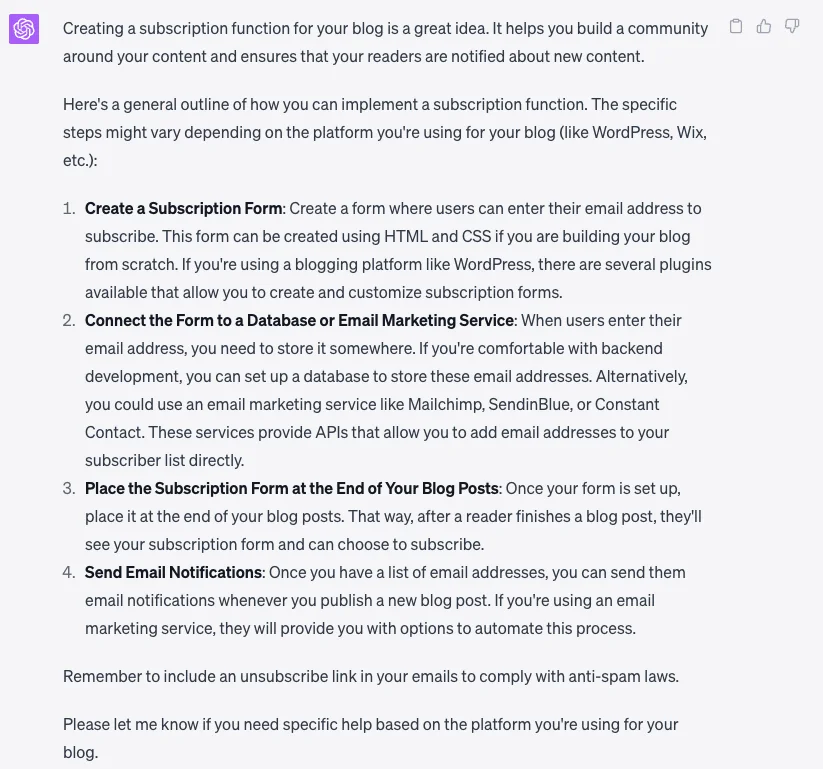
My blog is using wordpress and give me a simpler guide. I dont have technical knowledge
这是我对它的回话。接下来就是“魔法时刻”:
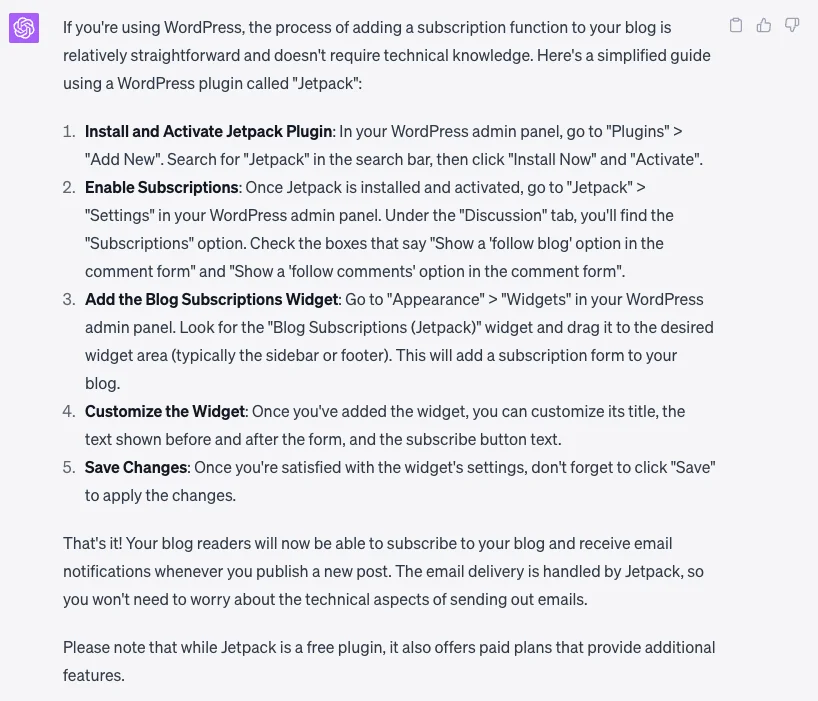
如图所示,chatGPT 自动切换了表达风格,改用 WordPress 插件路径给我方案,这对像我这样的非技术用户友好很多。
And here is the magic :)
我输入:“I did the above step for my website. Can you check if I did it correctly?” 原本没期待太多,结果 chatGPT 直接去我网站点击检查,然后回复:"Yes, you have implemented the subscription form correctly. The subscription box is visible at the bottom of your blog page, allowing readers to input their email addresses and click the "Subscribe" button to subscribe to your blog1."
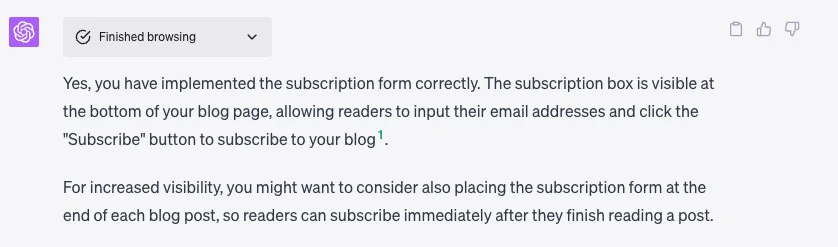
虽然是个很简单例子,但我真的起鸡皮疙瘩了 :D 总结一下:chatGPT 先用非技术语言给我可执行方案,然后还帮我做了结果验证!
GPT 4 原生能力 + 实时互联网 + 插件扩展能力 这套组合,真的很夸张。
现在 chatGPT 的 plugin store 已经有几百个插件,我只能想象这个领域接下来会有多快。太期待了!
你和 chatGPT 或其他 AI 工具最大的 “aha moment” 是什么?欢迎分享最让你惊到的一次体验。
致敬,
Chandler