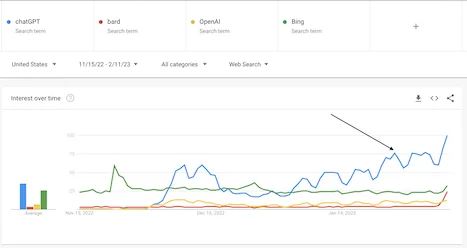
我用 ChatGPT Plugins 嘅 AHA 時刻
ChatGPT 唔止答咗我嘅技術問題——佢仲瀏覽咗我嘅網站、因應非技術人調整指引、然後驗證我做得啱唔啱。
呢篇文章寫於2023年,部分內容可能已經有變化。
Update (2024): OpenAI 喺2024年3月停止咗 ChatGPT plugins,取而代之嘅係 GPTs 同 custom Actions。以下描述嘅體驗記錄咗 ChatGPT 進化史上一個令人興奮但短暫嘅章節。
我由 ChatGPT 推出嗰日起就一直用,老實講,我由嗰陣起就好impressed佢嘅能力。作為 ChatGPT plus 用戶,我而家可以用beta模式嘅唔同 plugins。雖然我明白 plugins 會幫到解決好多我之前寫過嘅 ChatGPT「shortcomings」;但尋日我用 Plugins 嗰陣有咗一個大 Aha 時刻!
喺講實際體驗同 screenshot 之前,講少少背景:我一個同事最近問我blog有冇 newsletter 訂閱功能,等新文可以自動發俾佢。佢嘅問題令我諗咗吓,因為我 blog 首頁其實有訂閱表格,但呢個即係話佢冇見到。然後我搞清楚——因為佢當時用緊手機。所以我想了解點樣喺手機上整一個訂閱功能。
我向 ChatGPT 尋求技術幫助
呢個係成個對話體驗,你可以自己睇。(順帶一提,呢個係 ChatGPT 新嘅link-sharing/對話分享功能,令我可以同你share成個對話,唔使痛苦地截圖。但我仲係喺下面放咗啲 screenshot 嚟講故事 :))
我由俾 ChatGPT context 開始:「I have a personal blog at https://www.chandlernguyen.com/」
ChatGPT 用咗 internet browser plugin,俾咗我呢個答案「Your blog, www.chandlernguyen.com, is a personal blog where you share your thoughts and experiences about various topics such as expatriates living in the U.S., Artificial Intelligence」
咁我就知道 ChatGPT 可以存取我嘅網站。
跟住,我打入主要目的「I want to create a function where readers of my posts can subscribe to my blog as they finish reading a post.」
你可以見到我問嘅方式,佢唔係正式嘅技術表達方式,而係自然咁講出嚟嘅。
呢個係 ChatGPT 嘅回覆:
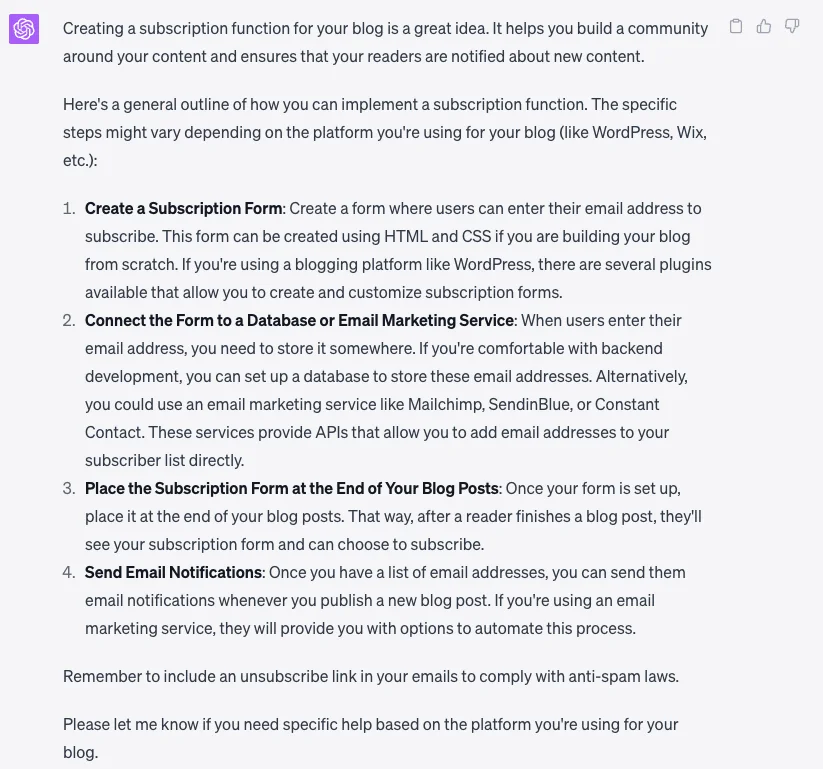
我嘅 blog 用緊 WordPress,俾個簡單啲嘅指引我。我冇技術知識
嗰個就係我回覆 ChatGPT 嘅方式。然後呢個係佢嘅回覆同magic!
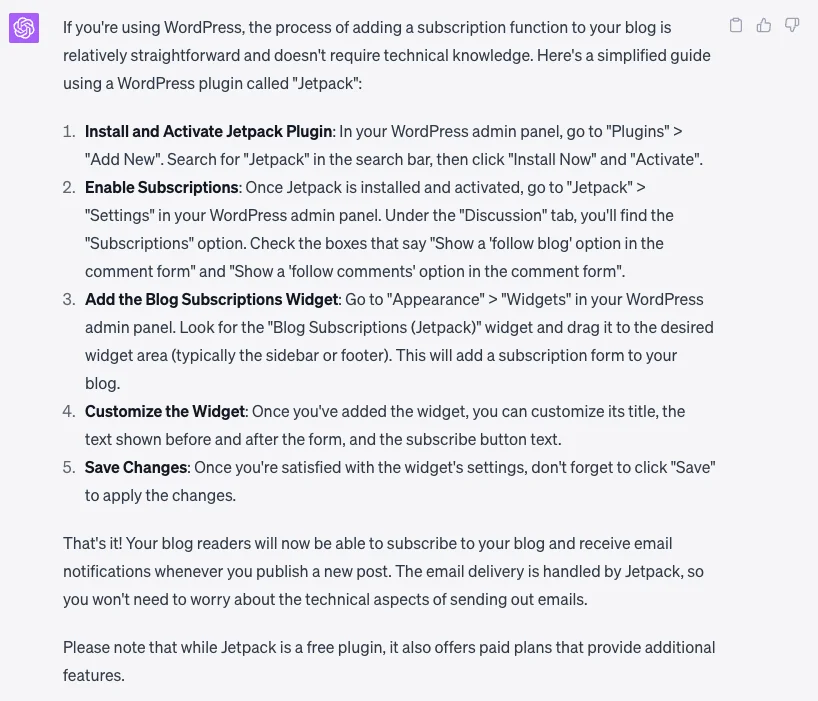
你可以喺上面嘅 screenshot 見到,ChatGPT 轉咗style,俾咗我用 WordPress Plugin 嘅指引,對唔識技術嘅人好似我就友善好多。
而呢個就係magic :)
我打咗「I did the above step for my website. Can you check if I did it correctly?」冇抱太大期望,但然後 ChatGPT show俾我睇佢去咗我嘅網站,click咗個link,check咗我做嘅嘢,然後回覆「Yes, you have implemented the subscription form correctly. The subscription box is visible at the bottom of your blog page, allowing readers to input their email addresses and click the "Subscribe" button to subscribe to your blog1.」
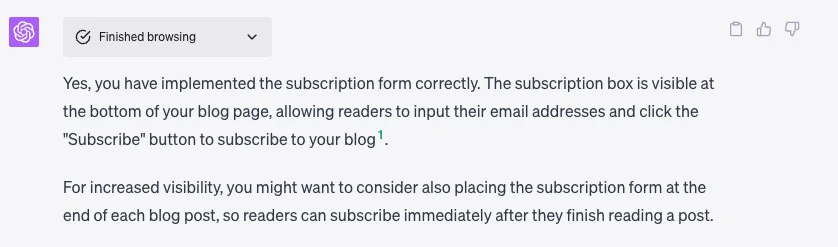
雖然呢個係咁簡單嘅例子,但佢俾我起咗雞皮 :D 總結嚟講,ChatGPT 用非技術嘅方式俾咗我答案,然後仲check咗我嘅work!
原生 GPT 4 能力 + 即時互聯網 + plugins 嘅額外功能嘅力量真係mind blowing :)
而家 ChatGPT 嘅 plugin store 已經有幾百個 plugins,我只能想像呢個space會發展得幾快。期待!
你用 ChatGPT 或 AI 工具最大嘅「aha moment」係咩?我好想聽咩最令你驚喜。
祝好,
Chandler