我嘅4星期旅程:由Frontend升級到Docker掙扎同突破
我用AI重建咗個網站嘅frontend,升級咗chatbot嘅intelligence,仲發現咗continuous deployment——全部因為Docker唔合作。
更新(2026年): 下面描述嘅WordPress frontend同Docker deployment已經係ancient history。個網站而家run喺Next.js上,Sydney亦已經用Supabase pgvector同Claude由頭rebuild。仲係喺寫code,仲係喺學嘢。
2024年3月嘅原文保留如下作為context。
過去4星期我冇publish任何文章。你可能會wonder發生咗乜事。係咪我懶咗唔學嘢?Well sort of,我確實同家人同朋友喺某個weekend去咗旅行。
今日呢篇文會簡短啲。我會分享過去4星期學到嘅嘢。但邊個會care?Well,確實冇人會care,所以呢篇文主要係俾我自己keep track進度,同埋我估仲有一個人(你係邊位 :D。)
TL;DR:「Just in time learning」係真嘅,我正喺度經歷緊。
改善咗嘅front end
如果你幾個月前嚟過我個網站,你會注意到而家個網站look唔同咗、更modern、更容易navigate(我hope)。我用GitHub Copilot同ChatGPT4問機器幫我改善網站嘅look and feel。結果係超過300行CSS codes,大部分我都唔識寫。以下係sneak peek:
/* Defining CSS variables for common values */
:root \{
    --main-font: 'Poppins', sans-serif; /* Main font for the website */
    --primary-color: #003366; /* Primary color for text */
    --accent-color: #4da6ff; /* Accent color for links and buttons */
    --background-color: #FAFAFA; /* Background color for the body and some elements */
    --text-color: #333333; /* Main text color */
    --hover-color: #4da6ff; /* Color for hover effects */
\}

/* Applying the main font and color to various elements */
body, button, input, select, textarea, h1, h2, h3, h4, h5, h6, .nav-menu, .nav-menu a, .widget-title, .page-numbers.current,
#primary-menu .menu-item a, #primary-menu .sub-menu .menu-item a, .site-title a, .primary-navigation a, .widgettitle, .simpletoc-title \{
    font-family: var(--main-font);
    color: var(--text-color);
\}
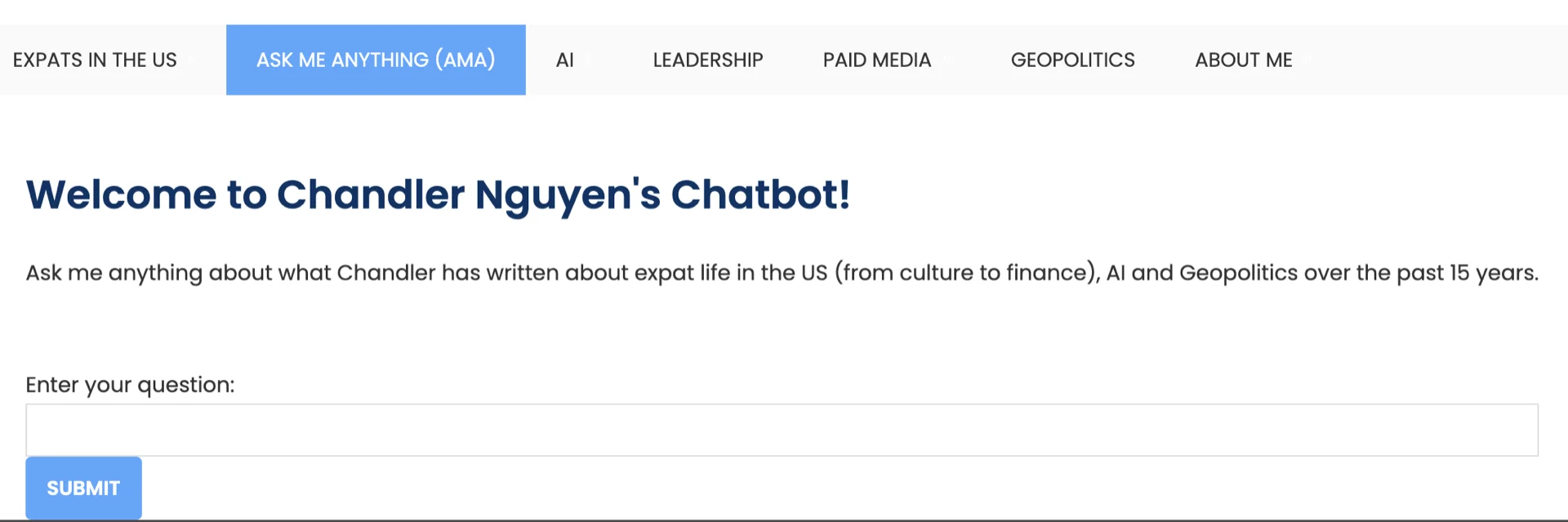
另外當我去chatbot頁面嗰陣,「look and feel」同網站其他部分一致。入問題嘅「box」喺above the fold,conversation box隨住對話展開而不斷expand。我真係唔信我冇早啲搞掂。對唔住之前去過嗰個頁面嘅所有人。
Sydney chatbot有咗新嘅vector store同改善嘅query translation
由WordPress export已發佈內容到HTML clean-up、chunking、生成embeddings、到儲存喺vector store嘅整個過程,做咗幾次之後surprisingly容易同快。
我換咗一個新嘅vector store(仲係用FAISS),用咗唔同嘅chunking methodology(今次用稍大嘅chunk size同overlap。)
用戶嘅query用Langchain嘅multi-query retriever做transform。我發現用呢個retriever嘅chatbot答案比之前嘅retriever更comprehensive同nuanced。
# Set up vector store and llm
embeddings = OpenAIEmbeddings()
vectorstore = FAISS.load_local("faiss_index", embeddings)
llm = ChatOpenAI(model_name="gpt-3.5-turbo-0125", temperature=0)

# Set up retriever
retriever_from_llm = MultiQueryRetriever.from_llm(
    retriever=vectorstore.as_retriever(), llm=llm
)
推Docker Image到GCP Artifact嘅掙扎反而變成blessing
因為某啲奇怪原因,大約1個月前我開始push Docker Image到GCP Artifact時出問題。我試咗好多方法解決都唔得。之前幾個月完全冇問題。
因為咁,逼住我諗另一個deploy方法,唔涉及push image到Artifact。嗰個就係我點發現GCP Cloud Run用Github repo做continuous deployment。
同時間,我睇咗個online tutorial,佢哋用poetry。我完全唔知佢係乜,所以問chatGPT解釋。結果佢係一個好好嘅dependency management工具,所以而家我用緊佢 :)。因為呢次exploration,我仲學多咗關於為每個project setup virtual environment,開始每個project都用。
所以而家set up新嘅virtual environment、用poetry manage dependencies、加上GCP Cloud Run嘅continuous deployment,我嘅workflow smooth咗好多。Deploy chatbot嘅新update都容易同快咗好多,只要我喺local test thoroughly。
我而家做緊乜?
而家我做緊build同deploy一個用Langchain嘅research assistant。嚟自Langchain同GPT-Researcher嘅open-source code(多謝你哋!)夠清楚,我可以喺local run到。但deploy到production environment就幾困難,特別係content scraping嘅部分。具體嚟講,當我喺local test Docker Container嘅application時,CPU usage太高。
我仲有幾個idea點樣改善GPT-researcher同Langchain分享嘅research assistant approach,但我需要work on佢哋嚟bring to life。準備好嘅時候會分享更多。
你嘅想法?
每一行code、每一個troubleshooting嘅小時、每一個breakthrough都係stepping stone。雖然呢個旅程係我嘅,但我希望佢能spark ideas、提供insights、或者simply entertain。你喺tech方面遇到過咩challenges?喺下面分享你嘅故事或問題——一齊navigate呢啲digital waters。
祝好,
Chandler
P.S:如果你喺build RAG application,我覺得Langchain嘅「RAG from scratch」系列超有用。