I Added 5 Languages to DIALØGUE in 48 Hours
I built planning documents that taught Claude Code how to localize—not just translate—then watched it execute across 5 languages in parallel, turning literal phrases into native-sounding copy.
A few days ago, a user asked if DIALØGUE supported Spanish.
It didn't.
48 hours later, it supports five languages—Spanish, Vietnamese, Japanese, Korean, and Mandarin Chinese. Not translated UI buttons. Full native localization. Podcasts that sound like they were made for each market.
Five languages in 48 hours sounds like I hired a team or pulled all-nighters. I didn't.
I gave Claude Code high-level direction. It wrote the planning documents, then executed them—often running parallel agents on different files simultaneously.
---
The Secret: Plan Once, Execute Fast
Here's the interesting part: I didn't write the planning documents. Claude Code did—with my guidance.
I described what I wanted: "Create a localization style guide that explains how to translate naturally, not literally. Include examples for Spanish, Vietnamese, Japanese, Korean, and Chinese. Cover formality levels and cultural context."
Claude Code produced a 1,000+ line style guide, a comprehensive checklist, and a backend pipeline playbook. Then it followed its own plans to execute the work.
1. The Style Guide
Not a translation glossary—a philosophy document. It explains *how* to localize, with before/after examples for every language.
Example entry for Spanish:
| English | Literal (Wrong) | Natural (Right) |
|---------|-----------------|-----------------|
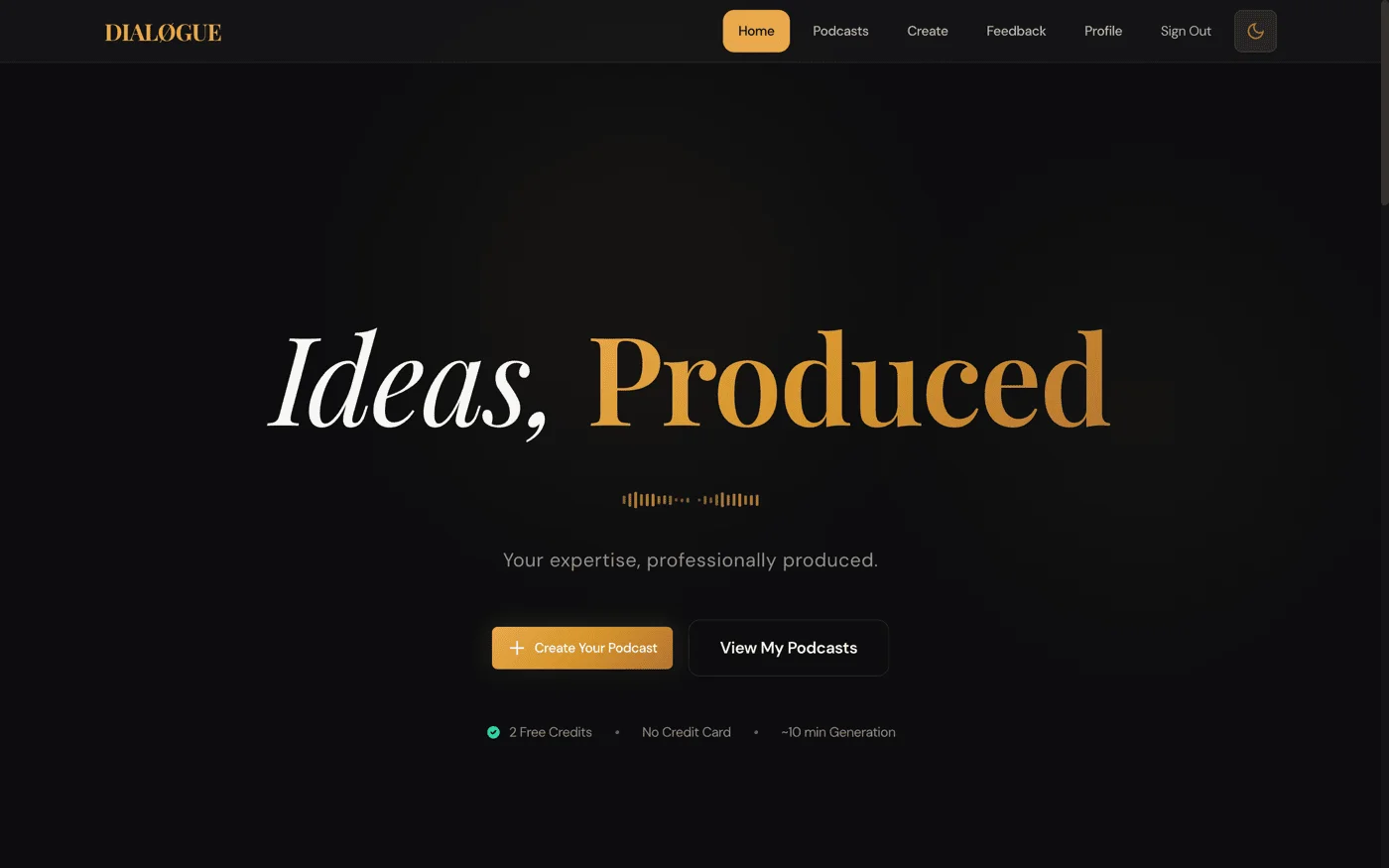
| "Ideas, Produced" | "Ideas, Producidas" | "De la Idea, al Podcast" |
| "Researched, Not Recycled" | "Investigado, No Reciclado" | "Contenido Original, Sin Copiar" |
| "You Direct" | "Tú Diriges" | "Tú Decides" |
The literal translations are grammatically correct but sound like Google Translate. The natural versions capture the *intent*—they're what a Spanish-speaking marketer would actually write.
The guide covers formality levels (Japanese uses です/ます form, Korean uses 합쇼체), cultural context, common mistakes to avoid. When Claude Code translates, it follows these principles—the ones it wrote—automatically.
2. The Localization Checklist
A comprehensive checklist of every file that needs to change for a new language:
Required (must have):
- Frontend: `messages/{locale}.json` (~2,200 keys)
- Backend: `locales/{locale}.json` (~82 keys)
- Language Utils: 3 functions in `language_utils.py`
- Speech Generation: 1 function in `gemini_voice_instructions.py`
- Voice Preview: 7 localized sentences
- Content Moderation: Keywords + prompts
- Smoke Tests: Add to test matrix
Optional (enhanced quality):
- Host/audience profiles per style
- Localized prompt templates
- Voice instructions per style
This checklist ensures nothing gets missed. Claude Code works through it systematically.
3. The Backend Playbook
Documents exactly how podcast generation handles language:
- How outline generation uses Gemini 3 Flash with language instructions
- How dialogue generation uses Claude Sonnet 4.5 with cultural context
- How speech generation uses Gemini TTS with language-specific guidance
With these three documents in place, adding a new language becomes mechanical. Claude Code reads the checklist, follows the style guide, and updates files according to the playbook.
---
The Problem With "Just Translate It"
I have to admit, my first instinct was to just run everything through a translation API and call it done. "Create Podcast" becomes "Crear Podcast" and everyone moves on, right?
That approach creates garbage. I learned this the hard way growing up between Vietnamese and English — literal translation kills the soul of what you're trying to say.
Translation preserves words, localization preserves meaning. The style guide encodes this difference.
| Language | Literal Translation | Native Localization |
|----------|--------------------|--------------------|
| Vietnamese | "Ý tưởng, Được Sản Xuất" | "Từ Ý Tưởng → Đến Podcast" |
| Japanese | "アイデア、制作された" | "アイデアを、カタチに" (Ideas into form) |
| Korean | "아이디어, 제작됨" | "아이디어를, 현실로" (Ideas into reality) |
| Spanish | "Ideas, Producidas" | "De la Idea, al Podcast" |
| Chinese | "想法,已制作" | "从想法,到播客" |
Every language required this level of attention. Every button, every error message, every piece of marketing copy.
And that's just the UI. The actual podcast generation is harder.
---
Podcasts Need Native Hosts
Here's something I didn't anticipate: host names matter. A lot.
In the English version, the default hosts are Alex and Maya. Generic, forgettable, works fine.
But if you're generating a Vietnamese podcast and the hosts are still named Alex and Maya? It sounds off. As a Vietnamese person, I can tell you — it sounds like a bad dub of an American show :D
So each language got native host names:
| Language | Host 1 | Host 2 |
|----------|--------|--------|
| English | Alex | Maya |
| Vietnamese | Minh | Lan |
| Japanese | 太郎 (Tarō) | 花子 (Hanako) |
| Korean | 민준 (Minjun) | 수진 (Sujin) |
| Spanish | Carlos | María |
| Chinese | 明辉 | 雅琴 |
But names alone aren't enough. The AI needs to understand cultural context.
A tech podcast in Japan has different conversational norms than one in the US. The level of formality, the way disagreement is expressed, the rhythm of back-and-forth—it's all different.
So I created language-specific AI prompt instructions. The Vietnamese instructions specify "bạn" (informal but respectful "you"). The Japanese instructions specify です/ます form (polite but friendly). The Korean instructions specify 합쇼체 (formal polite).
This is the kind of thing you can't automate. From my years working across Asia-Pacific markets, I know these communication patterns intuitively — the trick was encoding that cultural knowledge into prompts that an AI could follow. But once encoded, Claude Code applies them consistently across thousands of strings.
---
The AI Model Selection That Actually Works
Here's where it gets interesting from a technical perspective.
DIALØGUE uses three different AI models for three different tasks. Not because I wanted complexity, but because each model is genuinely better at its specific job.
Task 1: Research & Outline → Gemini 3 Flash
When a user enters a topic, the first step is research. The AI needs to:
1. Search the web for current information
2. Synthesize findings into a structured outline
3. Cite sources properly
This requires grounding (real-time web search) AND structured output (JSON schema compliance).
Here's the problem: most models can't do both simultaneously. Gemini 2.5 Flash supports grounding. It supports structured output. But not together. You have to pick one.
Gemini 3 Flash Preview is the only model I've found that supports both features at the same time. So it handles the outline generation.
```python
GEMINI_MODEL = "gemini-3-flash-preview"

# Key capability:
GEMINI_MODEL_CONFIGS = \{
    "gemini-3-flash-preview": {
        "supports_grounding": True,
        "supports_structured_output": True,
        "supports_grounding_with_structured_output": True,  # This is the key
    \}
}
```
The outline comes back in about 60 seconds with real sources, properly structured.
Task 2: Dialogue Generation → Claude Sonnet 4.5
Once the user approves the outline, the AI writes the full script—every word both hosts will say.
This is creative writing. It needs personality, natural rhythm, the feel of a real conversation.
I tested this with multiple models. Claude's dialogue consistently sounds more human. The back-and-forth feels authentic. The hosts interrupt each other naturally. They build on each other's points.
It's subjective, but after generating hundreds of test podcasts, the difference is noticeable. Claude Sonnet 4.5 handles dialogue generation.
```python
ANTHROPIC_MODEL = "claude-sonnet-4-5-20250929"
```
Task 3: Audio Generation → Gemini 2.5 Flash TTS
Finally, the script needs to become audio. Two voices, proper pacing, emotional expression.
Gemini 2.5 Flash TTS offers 30 distinct voices with multi-speaker support. You can have Charon (informative, male) and Kore (firm, female) in the same audio file, naturally switching between speakers.
The quality is good enough that users often ask if it's real voice actors.
```python
# Multi-speaker synthesis with Gemini TTS
response = client.models.generate_content(
    model="gemini-2.5-flash-preview-tts",
    contents=transcript,
    config=types.GenerateContentConfig(
        response_modalities=["AUDIO"],
        speech_config=types.SpeechConfig(
            multi_speaker_voice_config=types.MultiSpeakerVoiceConfig(
                speaker_voice_configs=speaker_configs
            )
        )
    )
)
```
The Pipeline
So the full flow is:
```
User Input
    ↓
[Gemini 3 Flash] Research + Structured Outline (~60 sec)
    ↓
User Review & Feedback
    ↓
[Claude Sonnet 4.5] Full Dialogue Script (~2-3 min)
    ↓
User Review & Edit
    ↓
[Gemini 2.5 Flash TTS] Multi-speaker Audio (~3-5 min)
    ↓
Finished Podcast
```
Each model does what it's best at. The total generation time is about 8-10 minutes for a 15 - 30 minute podcast.
---
One Feature That Surprised Me
Users asked for something I hadn't considered: generating podcasts in a different language than their UI.
A Vietnamese user might be comfortable navigating the app in Vietnamese but want to create an English podcast for an international audience. Or a Spanish-speaking marketer might want to test content in Japanese.
So I added a podcast language selector. Your UI can be in English while you generate a podcast in Mandarin. The hosts will have Chinese names (明辉 and 雅琴), the dialogue will follow Chinese conversational patterns, and the audio will use appropriate voices.
It's a small feature, but it dramatically expands what users can do.
---
Parallel Agents: The Force Multiplier
The real speed came from parallel agents. The checklist notes this explicitly:
> "Run parallel agents for backend files - Backend files are smaller and can be processed in parallel (language_utils.py, content_moderation.py, gemini_voice_instructions.py, locales/{locale}.json)."
When I said "Add Korean support," Claude Code would spawn multiple agents:
- One agent updating the frontend translation file
- Another agent adding Korean cases to `language_utils.py`
- Another updating `gemini_voice_instructions.py`
- Another adding Korean to `content_moderation.py`
All running simultaneously. When they finished, Claude Code merged the changes and ran tests.
This is why the checklist distinguishes "Required" files from "Optional" files—so Claude Code knows what to parallelize versus what can wait.
For the frontend translation file (~2,200 keys), the checklist specifies a chunking strategy:
- Chunk 1: `common`, `nav`, `bottomNav` (~110 keys)
- Chunk 2: `homepage`, `auth` (~180 keys)
- Chunk 3: `dashboard`, `create` (~330 keys)
- And so on...
This prevents token limit issues and lets Claude Code translate namespace by namespace, reviewing each against the style guide.
The scope:
- 5 languages added
- ~2,500 translation strings total per language
- 10+ AI prompt templates per language
- 1 demo podcast generated per language
- Multiple parallel agents per language
The key insight: I didn't write code. I didn't write plans. I gave direction, reviewed output, and let Claude Code handle the rest — often in parallel. It still blows my mind a little :P
---
What's Next
The six languages cover about 2 billion potential users. That's meaningful reach.
But I'm already thinking about what's missing (the marketer in me never stops):
1. Arabic - Right-to-left layout support is complex
2. Hindi - Huge market, different script
3. Portuguese - Brazil is a massive podcast market
4. French - European expansion
5. Tagalog - Strong Filipino creator community
Each one requires the same level of care. Native localization, not translation. Cultural prompts, not copied templates. (This was only possible because I'd just rebuilt the entire app in 14 days with a clean architecture.)
The good news: the planning documents are reusable. Adding the next language should be even faster. And the localization carries over to the native iOS app I'm now building — all 7 languages, same Supabase backend.
---
Try It Yourself
I'm genuinely proud of how this turned out — especially the Vietnamese localization. Hearing a podcast that sounds like it was made for a Vietnamese audience, not translated at them, hit me in a way I didn't expect.
DIALØGUE now supports:
- English - The original
- Vietnamese - Từ Ý Tưởng → Đến Podcast
- Japanese - アイデアを、カタチに
- Korean - 아이디어를, 현실로
- Spanish - De la Idea, al Podcast
- Chinese - 从想法,到播客
Create a podcast in your language →
The UI will follow your chosen preference. And remember—you can generate podcasts in any of these languages regardless of your UI setting.
New users get 2 free podcasts to test it out.
---
The Takeaways
Looking back on this, what surprised me most was how much my advertising background mattered. Years of adapting campaigns across Asian markets taught me that localization is never just about words — it's about cultural intuition. I didn't expect that to be the most valuable skill I brought to an AI coding project.
For builders using AI coding assistants:
1. Direct, don't write. I didn't write the planning docs — I described what I wanted and Claude Code produced them. Then it followed its own plans. This felt weird at first, like delegating to someone who also writes their own brief. But it works.
2. Structure enables scale. Style guides, checklists, playbooks — these aren't just for humans anymore. I think this is the biggest unlock: structure your requirements so an AI agent can execute systematically. (My years of writing marketing briefs finally paid off in an unexpected way.)
3. Match the model to the task. I might be wrong, but I believe no single model is best at everything yet. For DIALØGUE:
- Gemini 3 Flash for grounded, structured research
- Claude Sonnet 4.5 for natural dialogue
- Gemini 2.5 Flash TTS for multi-speaker audio
4. Localize, don't translate. Your users can tell the difference. I can't stress this enough — as someone who's lived in three countries and worked across a dozen markets, I've seen what lazy translation does to a product. Encode cultural knowledge into your prompts and let the AI apply it consistently.
That's it from me on this one. If you're building something multilingual — or even thinking about it — I'd love to hear how you're approaching localization. Are you using AI for it? Going the traditional agency route? Do you agree that cultural context is the hard part, not the translation itself? Let me know.
Cheers,
Chandler